So, you have a MIDI controller. What now? Well look no further, pro tools has all sorts of compatibility options to help you use it!
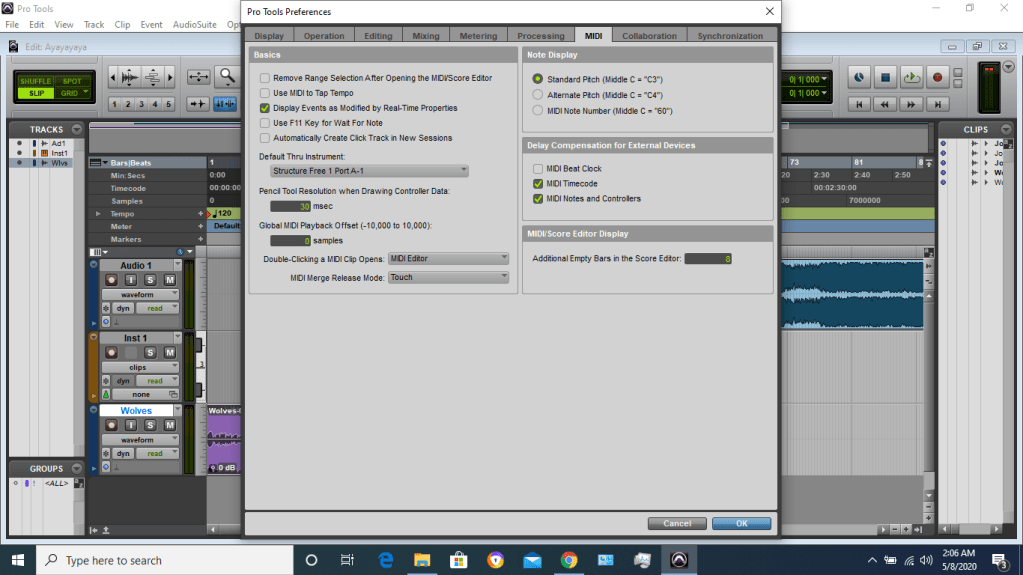
The most simple way that works for most USB devices is to plug them into your PC and the go to Setup > Preferences > MIDI and change the Default Thru instrument to the track you want to use!
After that, just set an instrument plugin and you’re good to go!
 Audio Engineering On A Budget