So in response to my last article you’re probably wondering how to use the plugins I was speaking of.
Well you’re in luck! Pro tools comes with a bunch of plugins and are all super simple to use!
Step 1: Launch Pro Tools
Step 2: Open the mix window
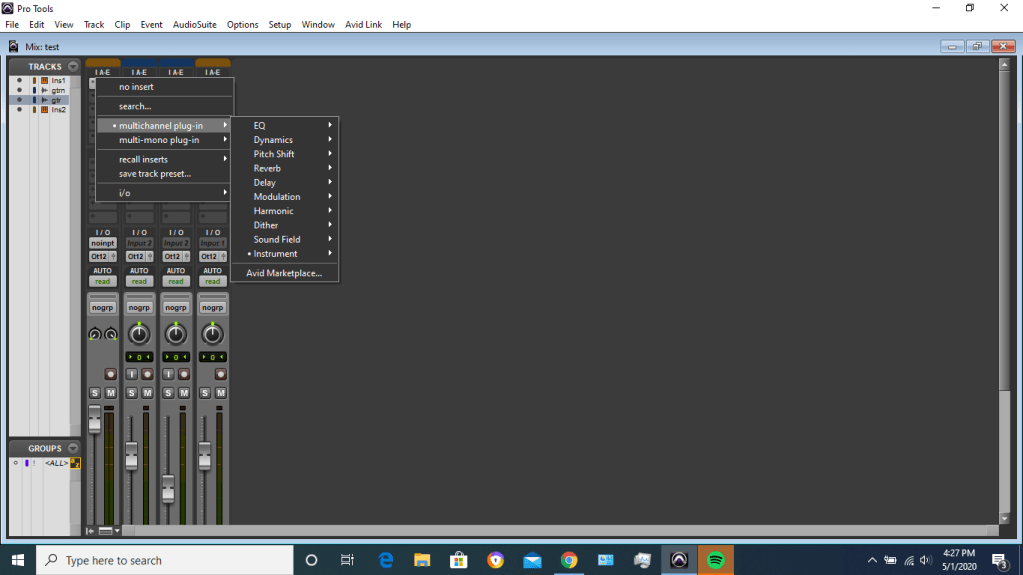
Over the “IAE” menu at the top (the column) you can click to add multichannel plugins over your tracks. Don’t forget to choose mono plugins for mono channels and stereo for stereo channels!
Step 3: enjoy your plugins!
For more info on plugins, try this site!
See ya next time!

 Audio Engineering On A Budget