Categories
Uncategorized

Pro Tools: About Plugins

As far as DAW’s go, most of them have plugins, it isn’t native to Pro Tools. Nonetheless, allow me to explain so you don’t have to search it up.

Plugins are mini software add ons to an interface. These can be virtual instruments, filters, or whatever else for your audio bending needs. A lot of plugins are paid, and cost a pretty decent amount of money, BUT you can also find a bunch of free ones if you’re determined enough.

For those gamers out there, it’s the equivalent of a mod for a DAW.
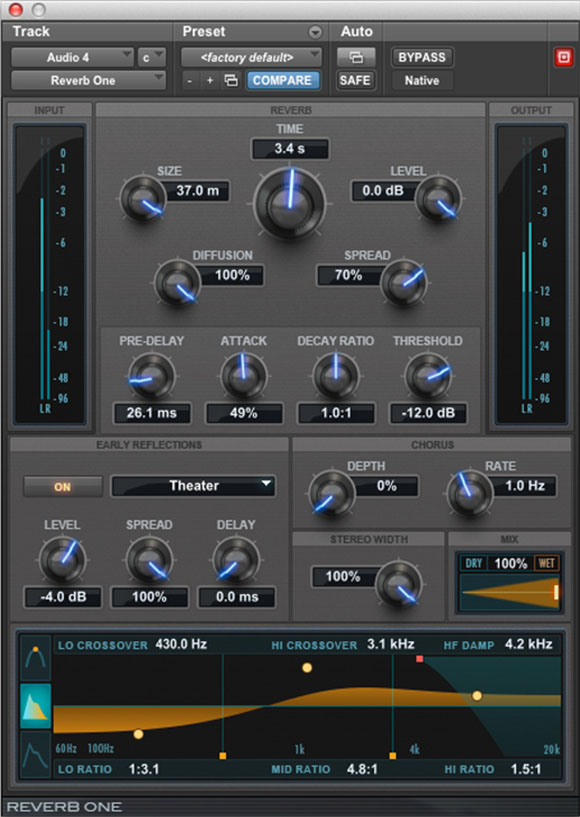
Pro Tools plugins look like this.

My next article will talk about how to use these, specifically in Pro Tools.

Stay tuned!
Categories
Uncategorized

Pro Tools: How To Use Plugins!

So in response to my last article you’re probably wondering how to use the plugins I was speaking of.

Well you’re in luck! Pro tools comes with a bunch of plugins and are all super simple to use!

Step 1: Launch Pro Tools

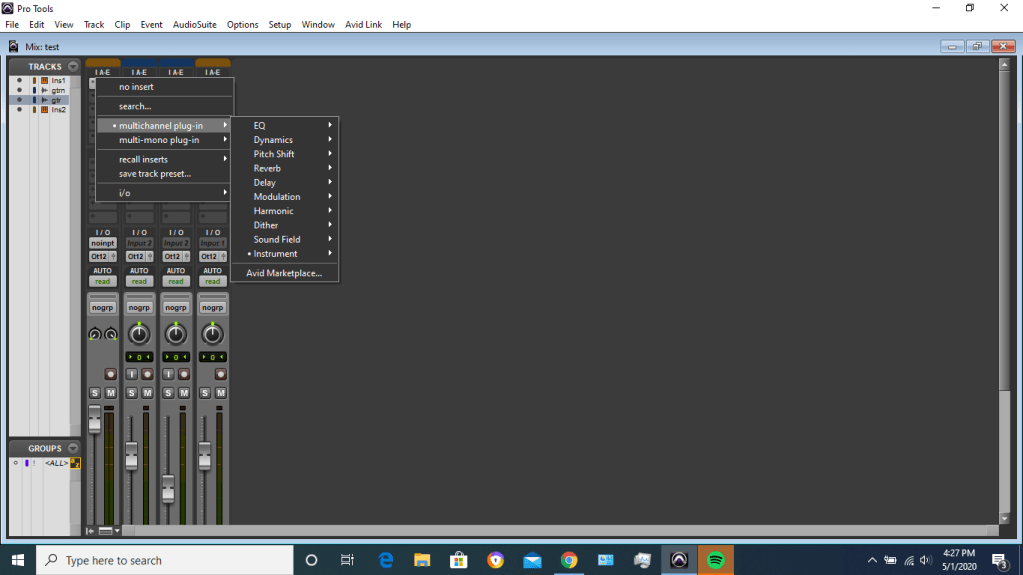
Step 2: Open the mix window

Over the “IAE” menu at the top (the column) you can click to add multichannel plugins over your tracks. Don’t forget to choose mono plugins for mono channels and stereo for stereo channels!

Step 3: enjoy your plugins!

For more info on plugins, try this site!

See ya next time!

Categories
Uncategorized

Pro Tools: Setting Inputs

DISCLAIMER: Pro Tools First has some issues with doing certain things with settings. This may or may not work.

We will once again be in the mix window for this one, so same concept as the last tutorial.

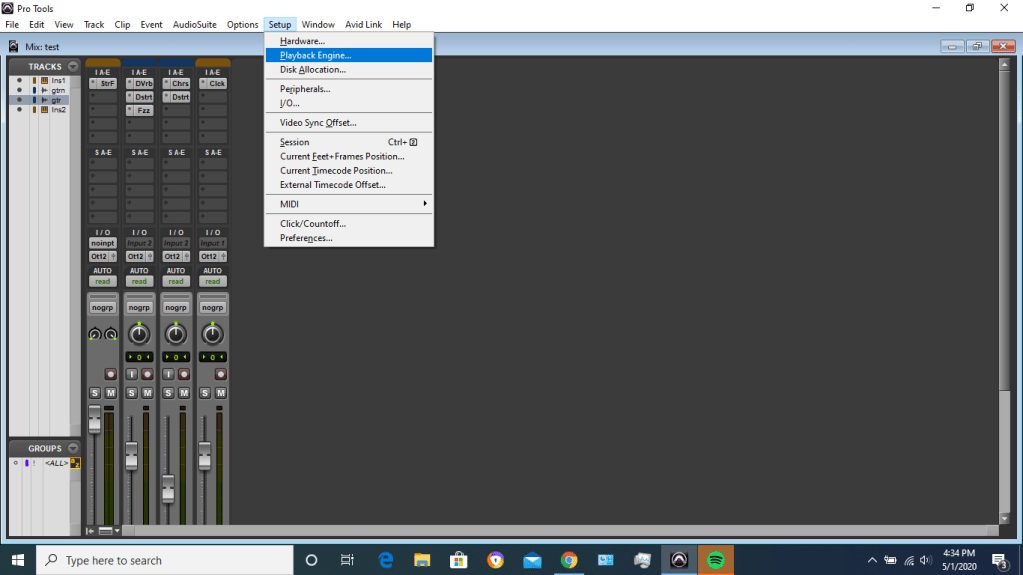
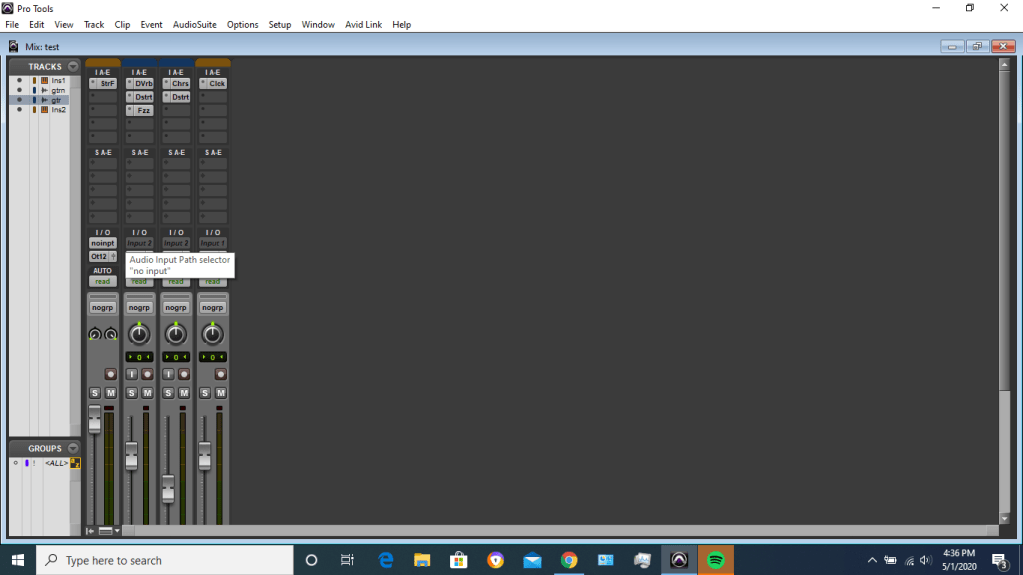
It may take some fiddling around with, but follow these two photos and you should be fine!

Before anything, always check that the playback engine’s i/o is correct. Set it to your interface if you have one!
Then set your inputs on each individual channel!
Design a site like this with WordPress.com
Get started